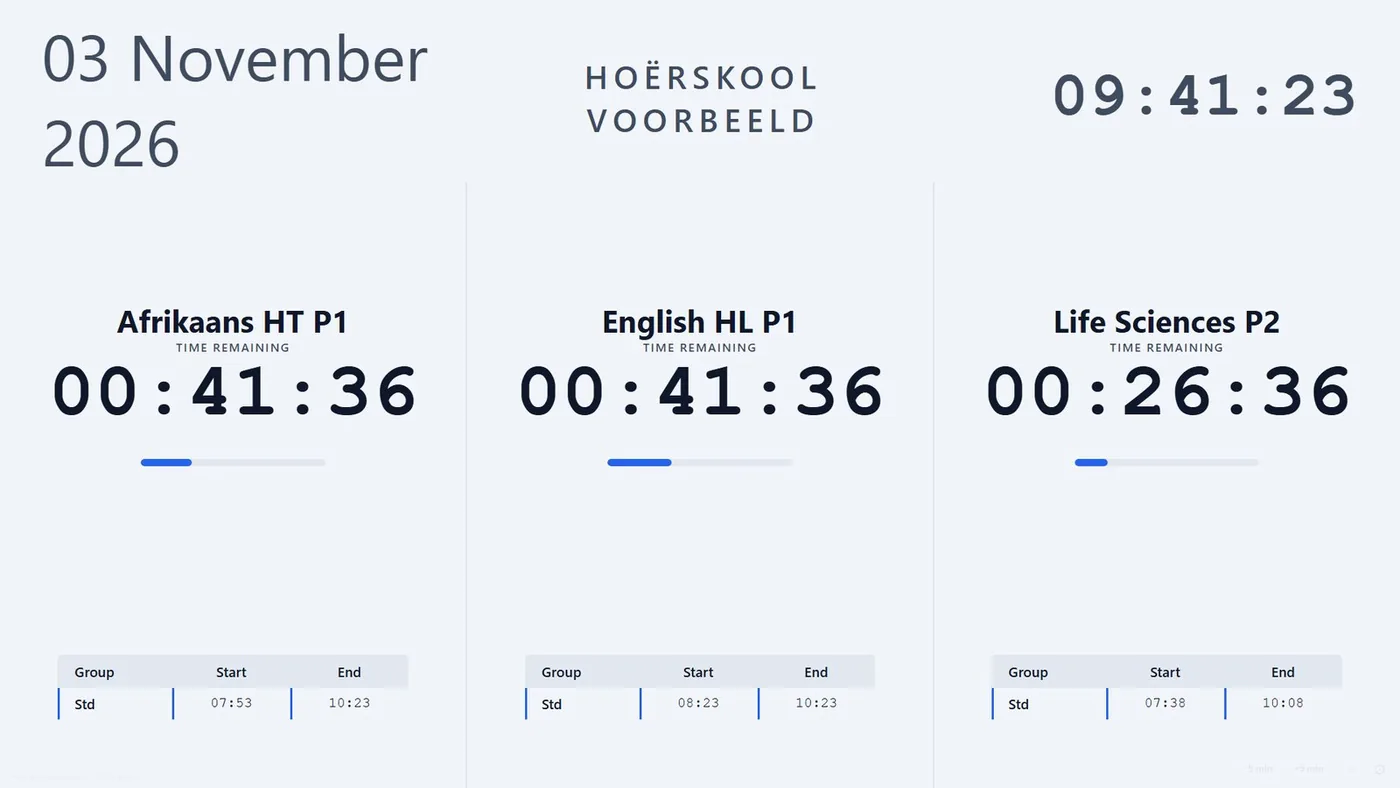
Exam Timer
AvailableA projector countdown for exam venues. Up to three papers side by side, extra time for every concession group, and the matric bathroom rule on screen.
R150 a month per school12-month subscription · unlimited venue PCs
Dependable programs for the jobs schools still do by hand: the exam venue clock, the timetable and daily cover, and marking CAT practicals. Built, tested and supported by a South African CAT teacher.
Each app does one job properly. Schools pick the ones they need.
A projector countdown for exam venues. Up to three papers side by side, extra time for every concession group, and the matric bathroom rule on screen.
R150 a month per school12-month subscription · unlimited venue PCs
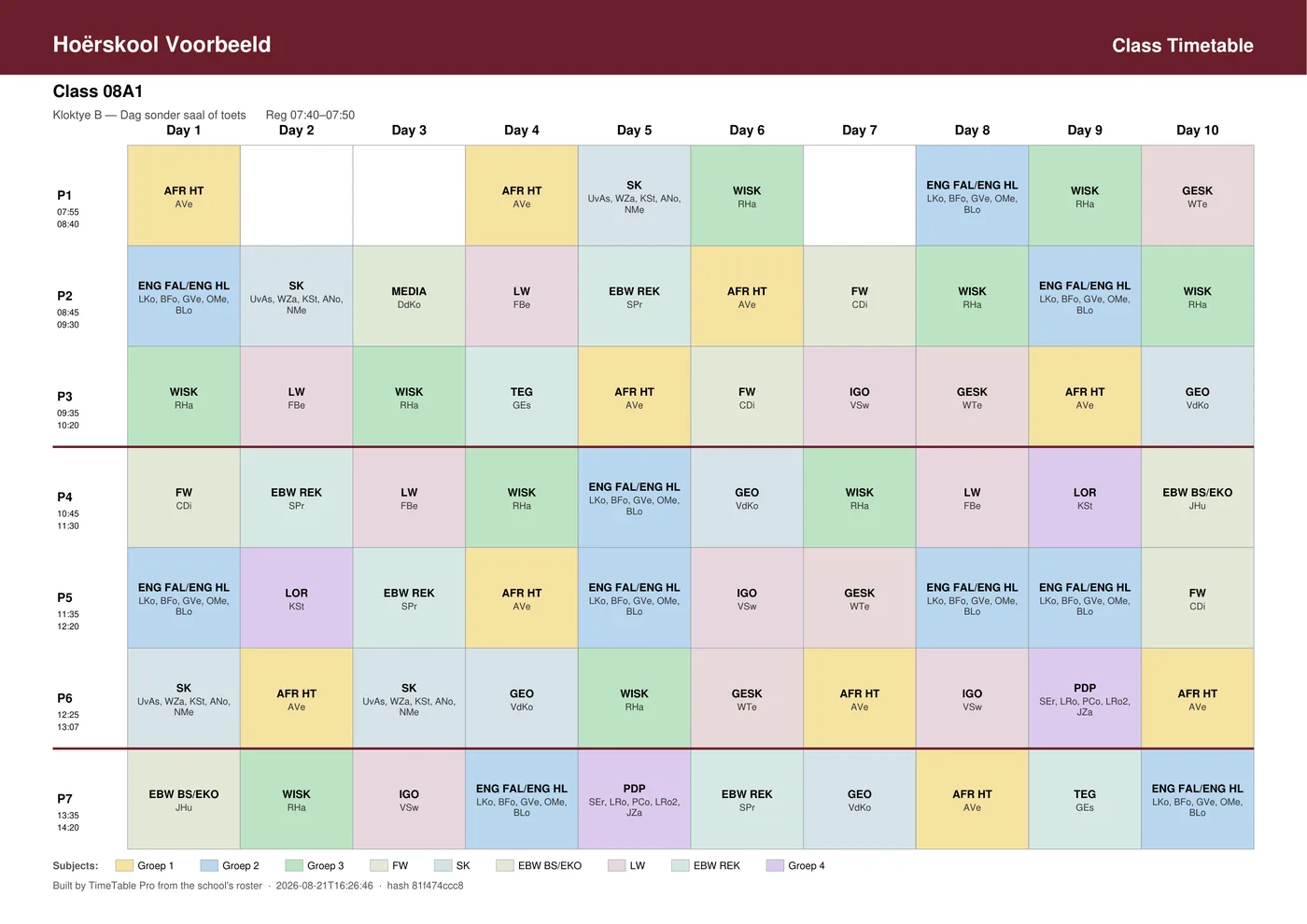
Builds the school timetable and proves every rule holds. Then, each morning, it covers every absent teacher's periods fairly and e-mails each colleague their own list.
R3,000 a year + R750 a month for coverWindows program · up to 4 office PCs share one school file
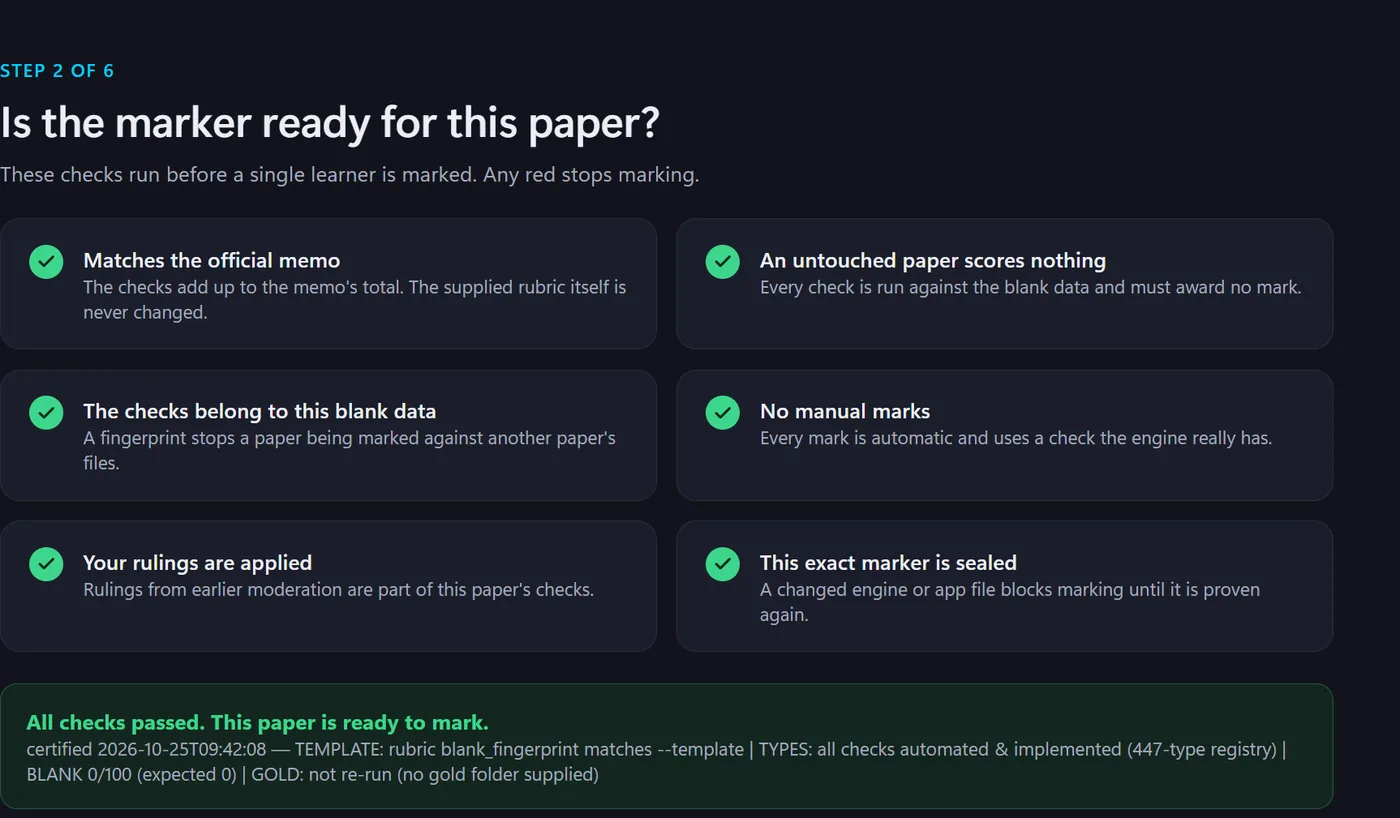
Marks CAT practical exams the way a careful moderator would: the paper is proven first, every mark shows its reason, and a second marker checks the class.
Priced per question paperAsk for a quote for your grade and term
More apps are in development. Follow @catmastery.sa to hear first.
Nothing is sold, shown or shared. The website itself sets no tracking cookies.
Exam Timer keeps counting offline. TimeTable Pro runs on the school's own PCs.
Every release passes its own checks first. A timetable is only called built when every rule holds.
Questions go straight to the developer, not a call centre.
Send your school's name and the apps you want. One e-mail is enough.
You get a quote, then an invoice to pay by EFT, the way schools already buy.
Once payment shows, your teachers are added and can start the same day.